 Gatherings
Getting started
Gatherings is invite-only — there's no public directory to browse. Open your host's invite link, sign in, and you're in.
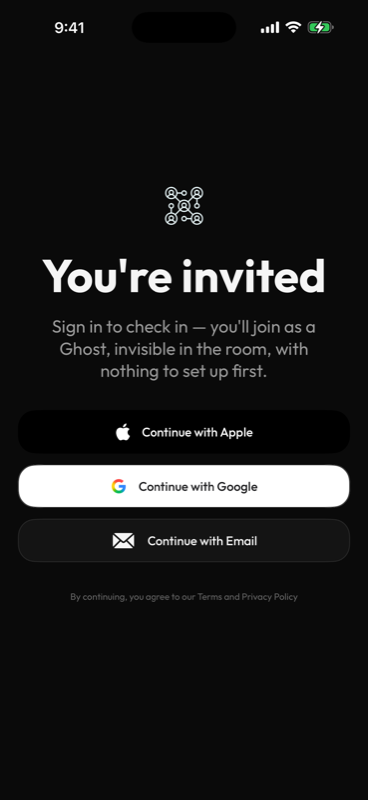
Sign in with Apple, Google, or email. New accounts start at Local, and you can switch to Ghost anytime in Settings.
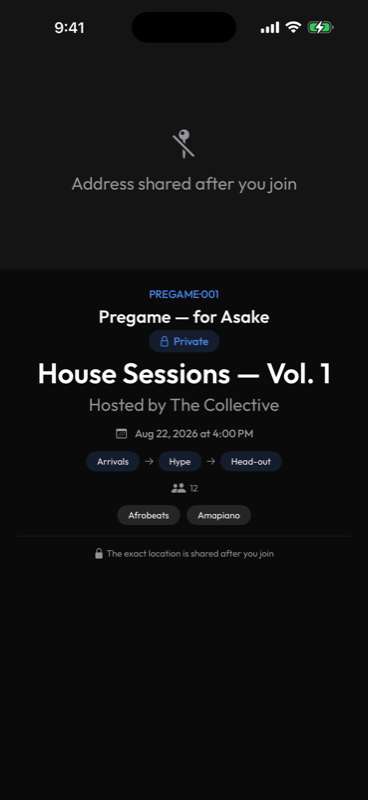
See the vibe, the headcount, and the tags — the exact address stays hidden until you're in.
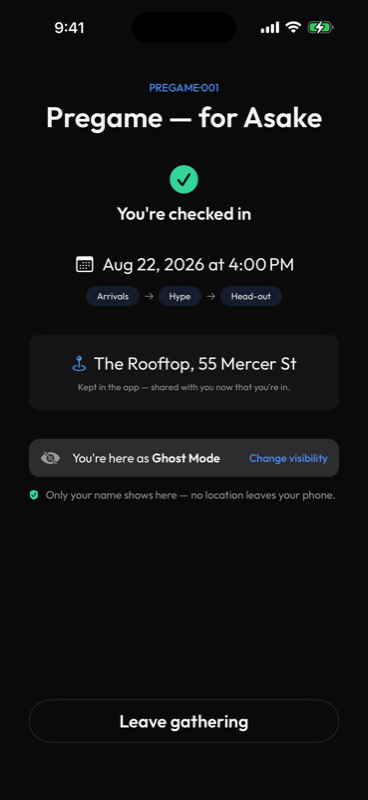
You're checked in. Only your name shows here — no location ever leaves your phone.
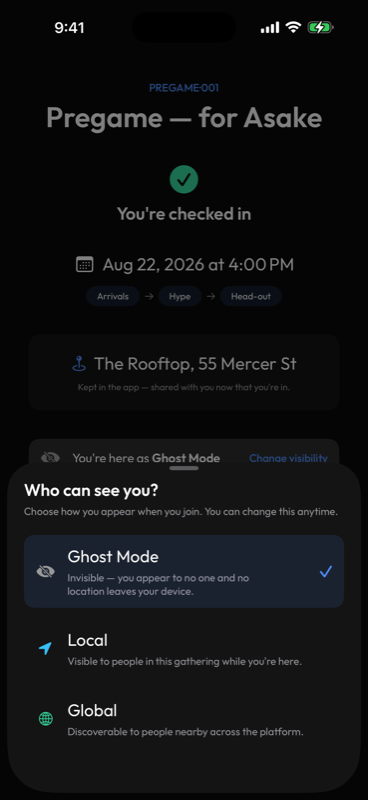
Pick who can see you the moment you check in. Change it anytime.
Once you're in
Every gathering has a feed — thoughts, polls, photos, and video that disappear on their own.
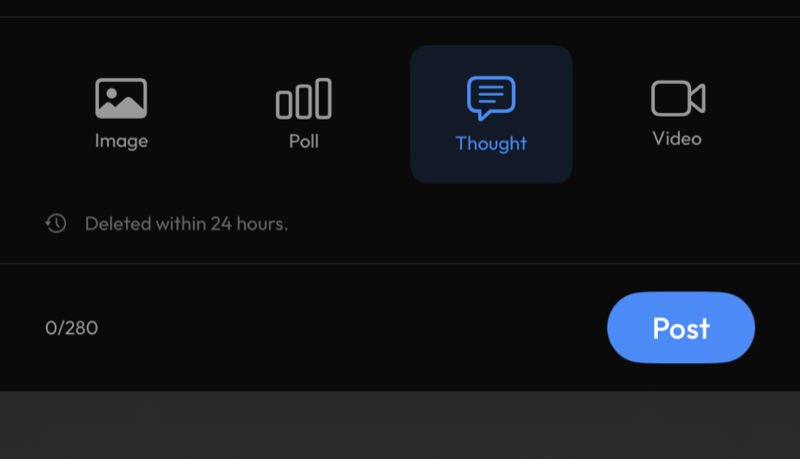
Post a thought, a photo, a poll, or a video. Gone within 24 hours, on purpose.
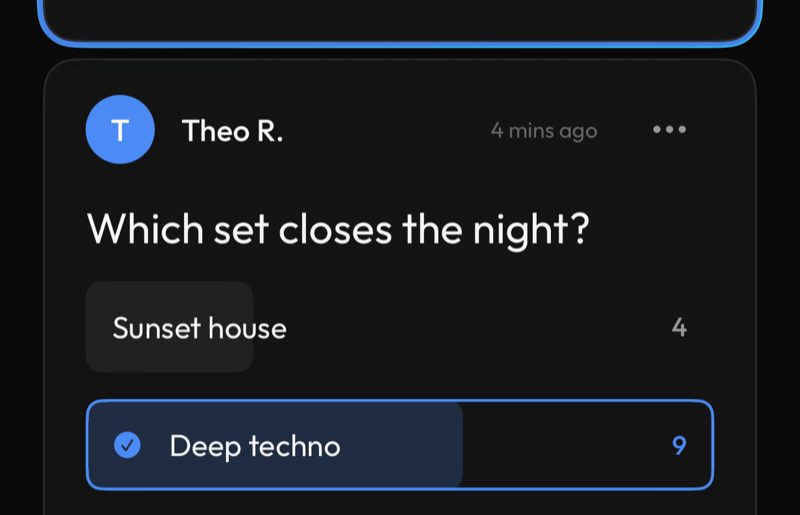
Ask the gathering something and watch the votes come in live.
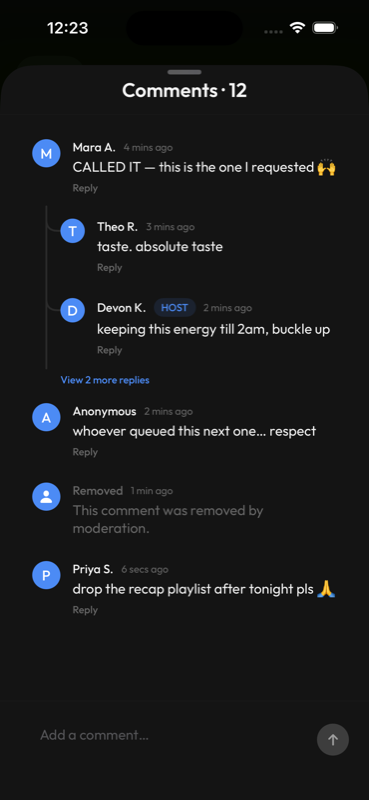
Reply in threads, and @mention someone to pull them into it.
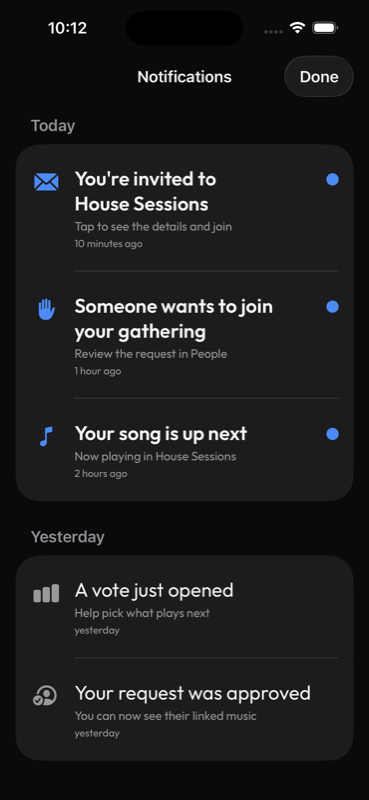
Invites, join requests, votes, and your song coming up — all in one inbox.
The music is part of it
No DJ login required — anyone in the gathering can shape the soundtrack. Every song that plays drops into the feed as its own card you can react to.
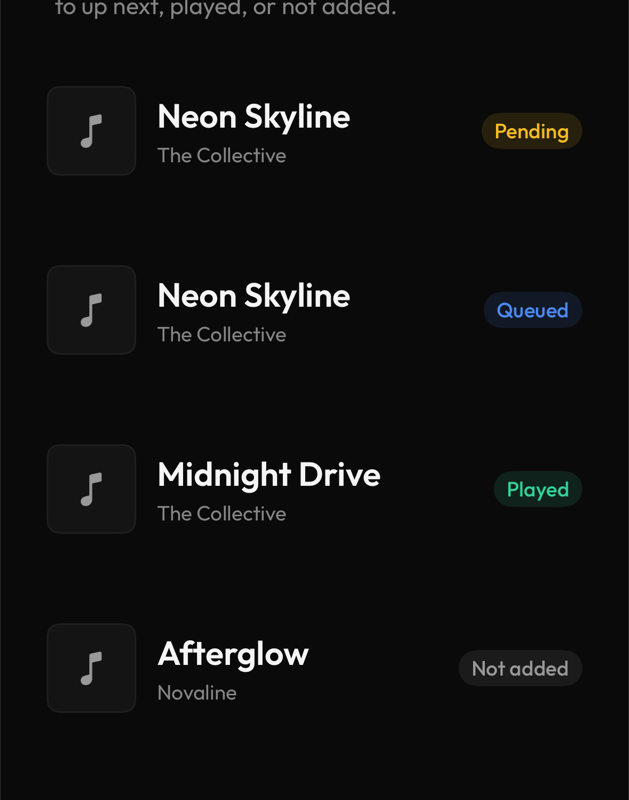
Request a song and watch the label beside it change from Pending to Played.
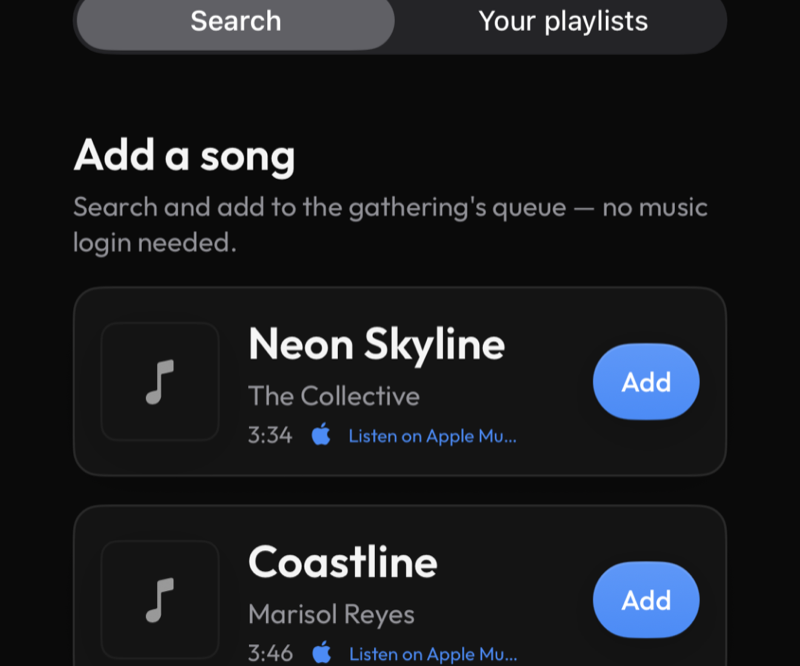
Search and add a track without ever leaving the app.
Hosting your own
Creating a gathering takes under a minute — the rest is just deciding how open you want it.
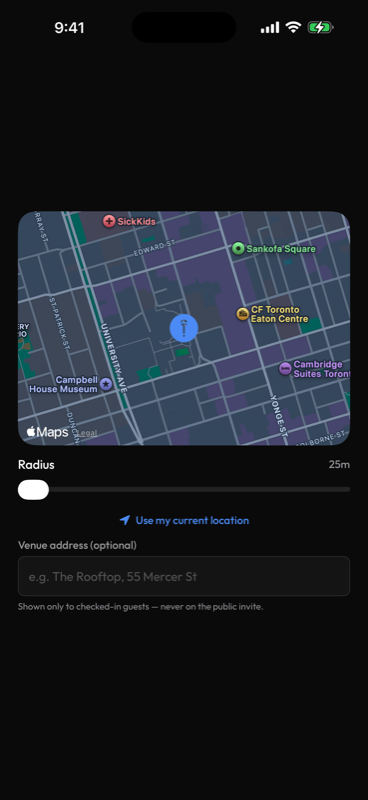
Set a name, a vibe, and a spot on the map.
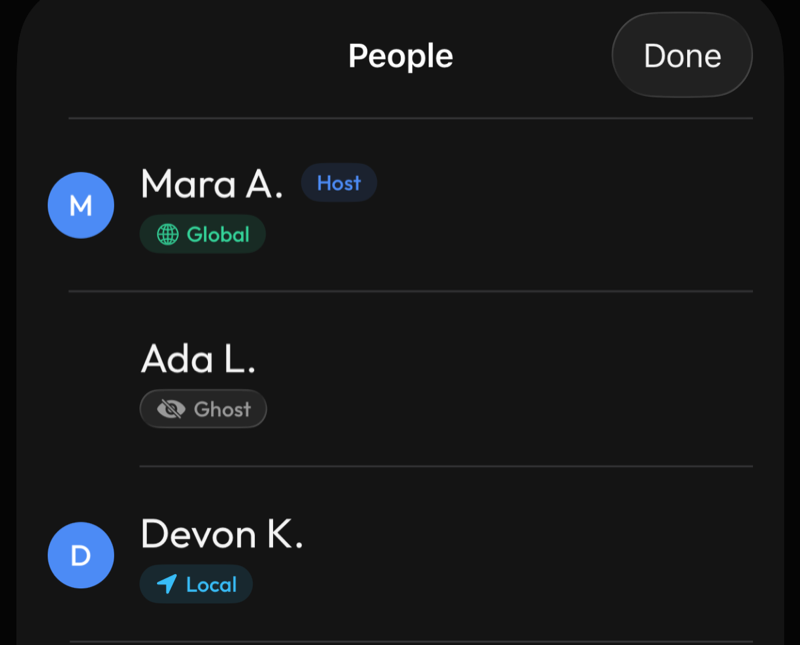
See who's here and their privacy setting, right from the guest list.
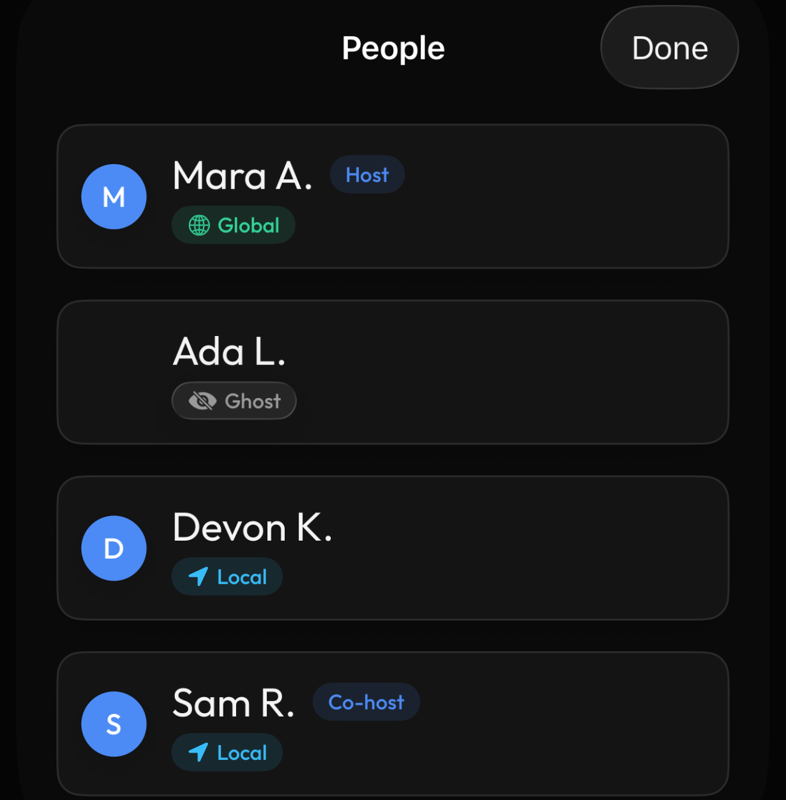
Long-press anyone's name in the guest list for Make co-host, Report, or Block — so you're not running the whole thing alone.
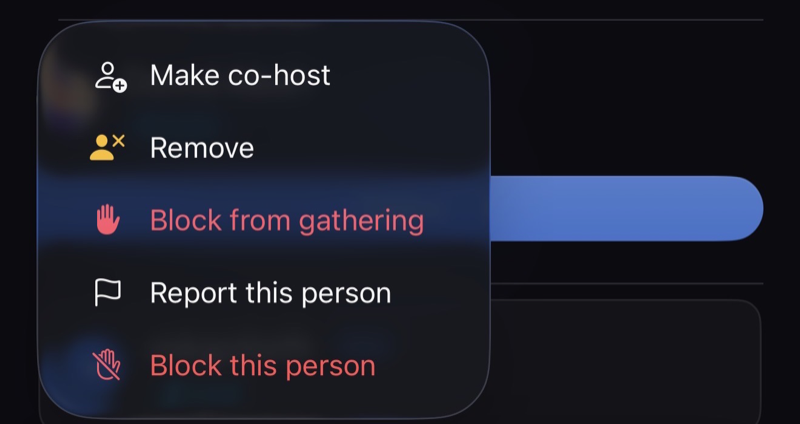
That's the long-press menu itself.
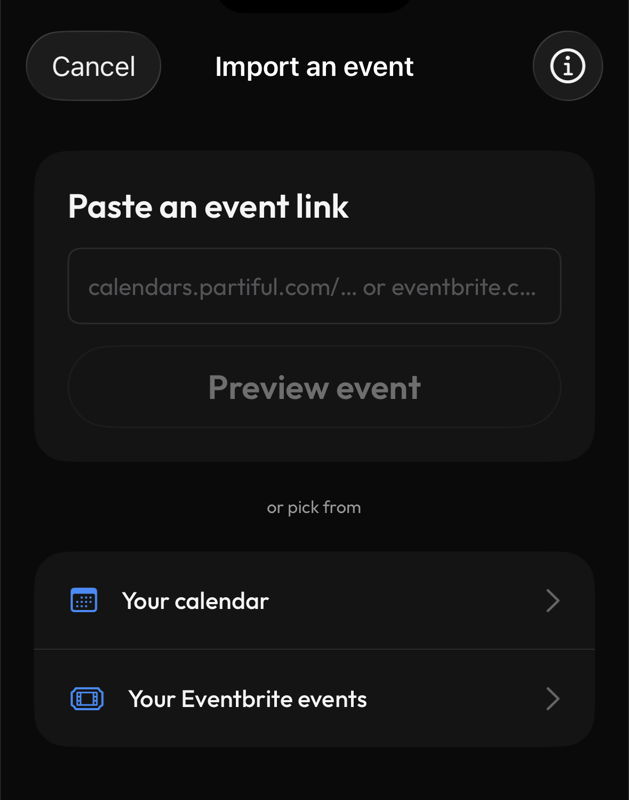
Already have an event on another platform or in your calendar? Import it instead of starting over.
Coming soon
Built and being tested — not yet live for everyone, so we're not putting screens to them here.
- Games at your gathering — quick games made for the people in front of you, not for staring at your own screen. First up: Gatherers.
Your profile, and staying safe
The You tab is home base — your profile, your socials, and the tools to leave, report, or block, easily.
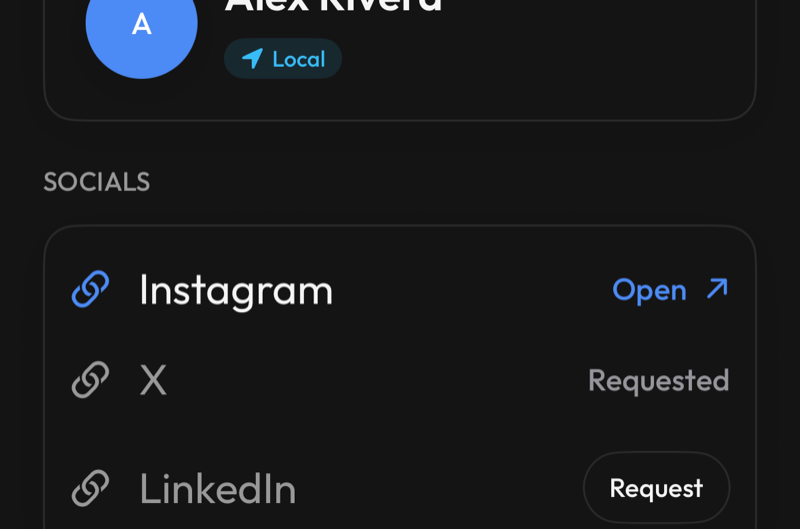
Tap anyone's avatar — in the feed or the guest list — to view their profile.
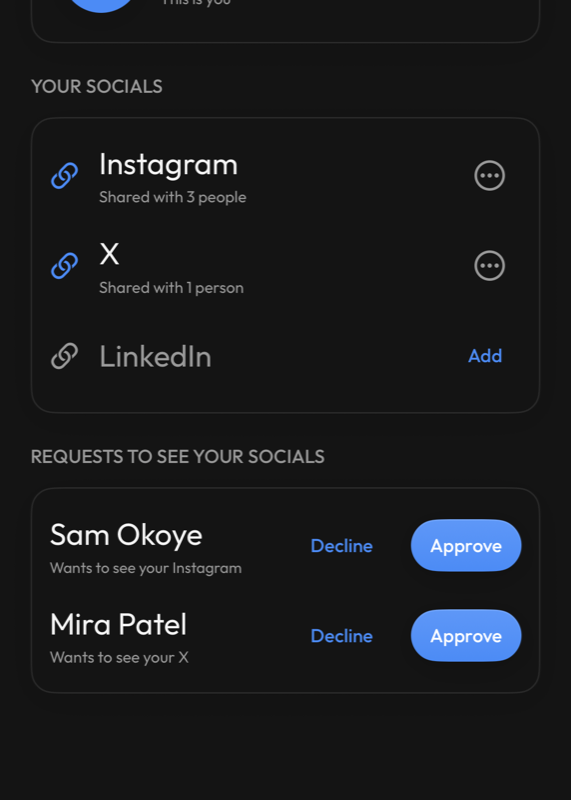
Manage your own profile and choose who can see your linked socials.
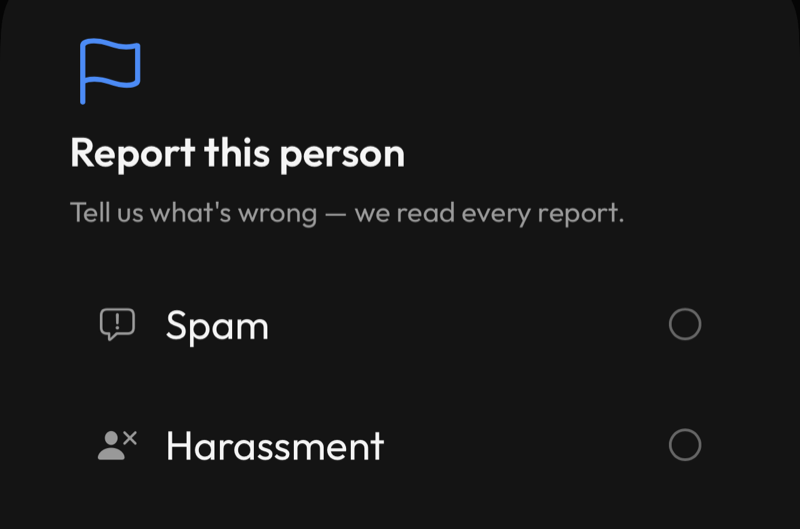
Report or block anyone, anytime — reports come straight to our team.
Privacy, in plain terms
Three visibility tiers. You choose, and you can change it anytime.
👻 Ghost
No location shared, no map presence, and your posts show as Anonymous. People in a gathering you've joined see only your name on its guest list. You can still do everything inside a gathering you've joined — and you can opt into being more visible for just that one gathering, if you want to.
📍 Local
Visible only to people inside a gathering you've joined — and only while you're there.
🌐 Global
Arrives with campus discovery: be findable by people nearby. Until then, Global works like Local.
New accounts start at Local. Switch to Ghost anytime in Settings.
Frequently asked questions
The ones that come up most when people try Gatherings for the first time.
Do I need to be 18 to use Gatherings?
Yes. Gatherings is for people 18 and over.
Is my age actually verified, or do I just say so?
We don't check ID in the app yet. For age-restricted events, the host or venue checks ID at the door.
What is Ghost Mode?
The most private setting on Gatherings. Your location is never shared and your posts show as Anonymous. People in a gathering you've joined see only your name on its guest list. You can still post, vote, and take part in anything happening inside it.
What's the difference between Local and Global?
Local makes you visible only to people inside a gathering you've joined, and only while you're there. Global arrives with campus discovery; until then it works like Local. New accounts start at Local; switch to Ghost anytime in Settings.
Why does the app ask for my location?
Only when a feature needs it — for example to set where your gathering is when you host one. Checking in never needs your location.
Is what I post permanent?
No. Everything posted inside a gathering — photos, polls, thoughts, video — is deleted within 24 hours.
How do I leave a gathering or delete my account?
Leave any gathering at any time from inside it. To delete your account entirely, go to Profile → Account → Delete Account — there's a 30-day grace period in case you change your mind. See our account deletion page for details.
How do I report or block someone?
Tap the person or the post in question and choose Report. Hosts can also remove or block anyone from their gathering directly. Reports come straight to our team.
Found a bug or a security issue while testing?
We'd genuinely like to hear it — email support@gatheringsapp.com, or see our security.txt for responsible disclosure.
Screens shown above use sample names and content for illustration — not real people's data. The app is under active development, so small details may shift between updates.